Avem nevoie de ajutorul dumneavoastră pentru a testa traducerea!
Dacă observați erori de traducere, vă rugăm să ne scrieți pe forum despre acestea.
Dacă observați erori de traducere, vă rugăm să ne scrieți pe forum despre acestea.
Imprimarea rezultatelor în PDF
Învechit! Începând cu versiunea 1.2, rezultatele pot fi descărcate direct în PDF.
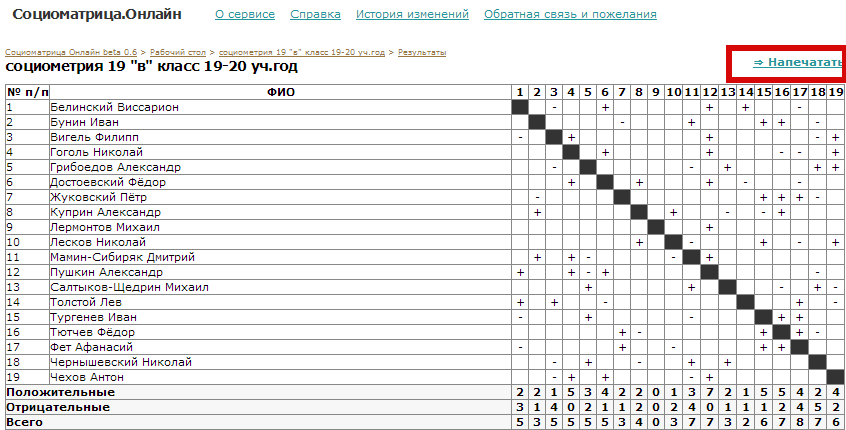
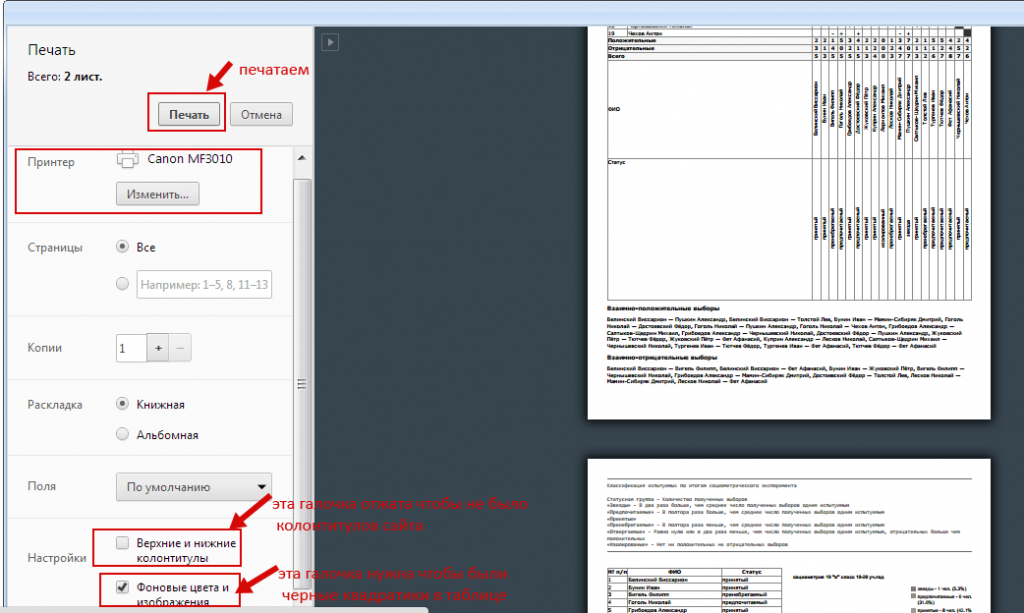
Pentru a salva protocolul într-un dosar de pe computer, apăsați butonul „Imprimare” din dreapta sus, deasupra tabelului:
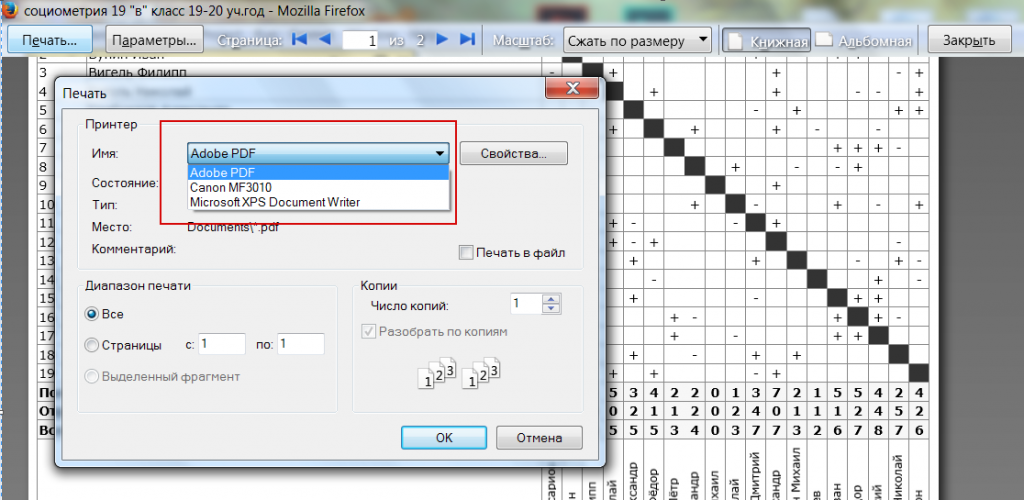
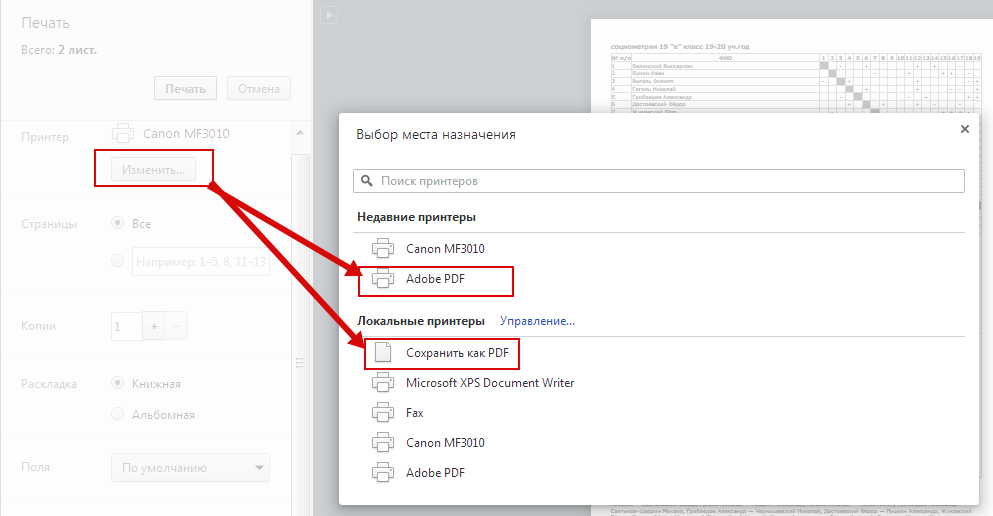
La imprimantă apăsați „Modificare” și selectați „Adobe PDF” sau „Salvare ca PDF”.
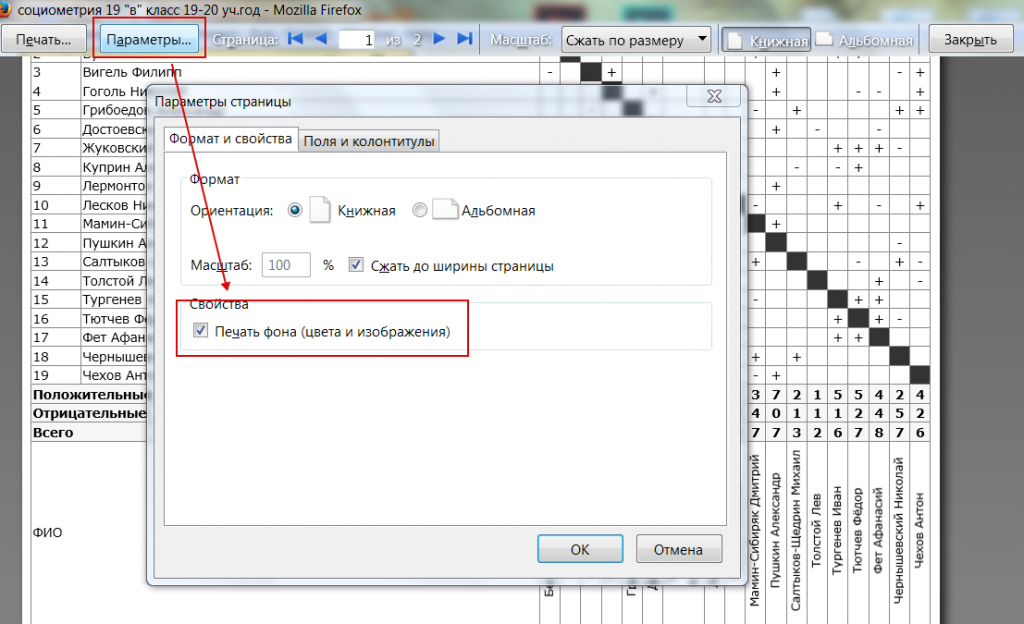
Acordați atenție opțiunilor „Culori și imagini de fundal” și „Anteturi și subsoluri”:
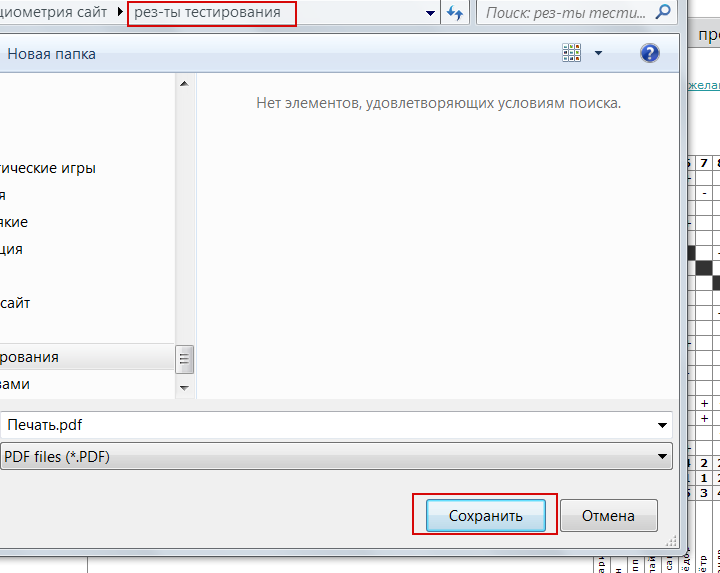
Apăsați „Imprimare”, selectați dosarul dorit și salvați fișierul.
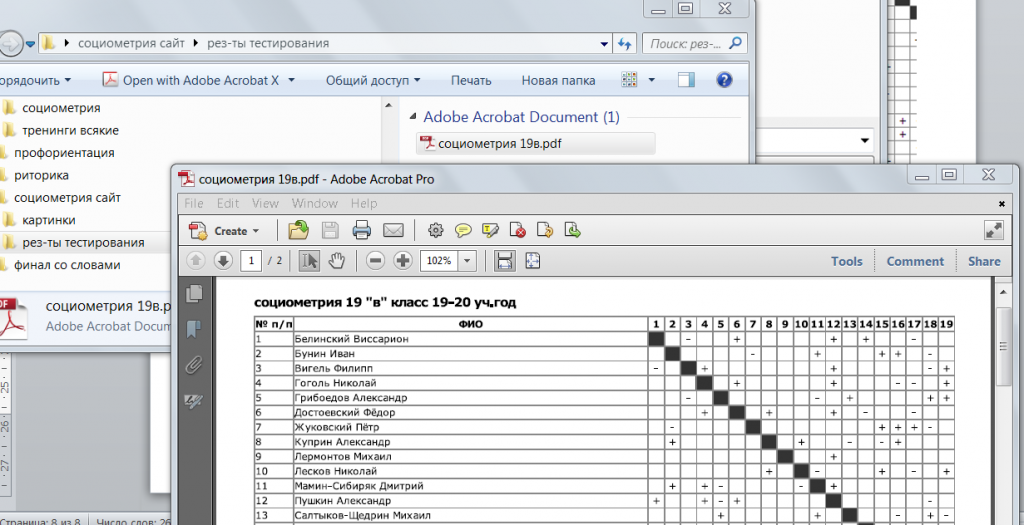
Gata! Rezultatul a fost salvat ca fișier PDF:
În Mozilla Firefox, pe pagina rezultatelor selectați Fișier — Previzualizare, apoi urmați aceiași pași: